Local-First Desktop App v2.0

Take Control of Your Zoom Recordings.
Locally, Privately, and Automatically.

An elegant desktop client for Windows and macOS that synchronizes, downloads, and organizes your Zoom cloud recordings directly to your native storage. Save high cloud storage fees and secure your media assets.

zoom downloadr - Local Dashboard
128 GB Local Space Saved
Active Auto-Sync Scheduler
429 Total Recordings

Download zoom downloadr

Free to install. Runs locally on your machine. No subscriptions, no telemetry, no server uploads — ever.

📦

Windows MSI Package

Microsoft Installer package. Suitable for enterprise deployments, group policy, or silent installs on Windows.

Windows 10 / 11 64-bit v0.1.0
Download .msi Package

🔒 Your Zoom credentials are encrypted with AES-256-GCM and stored only on your local machine. No data is ever sent to our servers. By downloading you agree to the Terms & Conditions.

What Problem Does It Solve?

Managing Zoom recordings manually is a tedious security hazard. Here is how zoom downloadr changes the game.

The Cloud Storage Headache

  • Hefty Zoom Storage Fees: Zoom's cloud recording storage runs out fast, forcing subscription upgrades or data deletion.
  • Time-Consuming Manual Workflows: Logging into Zoom dashboard regularly, finding new meetings, downloading and sorting them one by one is exhausting.
  • Privacy & Third-Party Risks: Many online tools require sharing admin privileges with cloud servers, exposing internal recordings.

The local-first automatic solution

  • Automatic Sync Scheduling: Background loops regularly crawl your recordings and retrieve missing ones automatically.
  • Smart Native Storage Sorting: Auto-saves videos into standard folders dynamically, e.g., {year}/{month}/{meeting_name}_{id}.
  • True Confidential Privacy: Direct local integration with Zoom API. Client keys are locked with AES-256 encryption. Zero remote telemetry.

Key Application Features

A native desktop agent equipped with industrial features for speed, reliability, and security.

🔒

AES-256 Credential Vault

Your Zoom Client ID and Secret are encrypted locally with AES-256-GCM. Decryption keys are managed strictly inside your native OS folder.

Parallel Chunk Downloads

Utilizes HTTP Range requests. High-speed multi-threaded downloader retrieves files efficiently, saving time and handling network drops.

🛡️

Disk Space Guard

Integrates directly with the system APIs (like Win32 storage utilities) to verify disk space availability before writing large meeting files.

📅

Intelligent Folder Organization

Organize files dynamically. Fully configurable naming schemes structured cleanly by Date, Meeting IDs, and video quality profiles.

⚙️

Background Scheduler

A rust background thread listens and triggers synchronizations periodically. Runs quietly in the tray so your files stay up to date.

📊

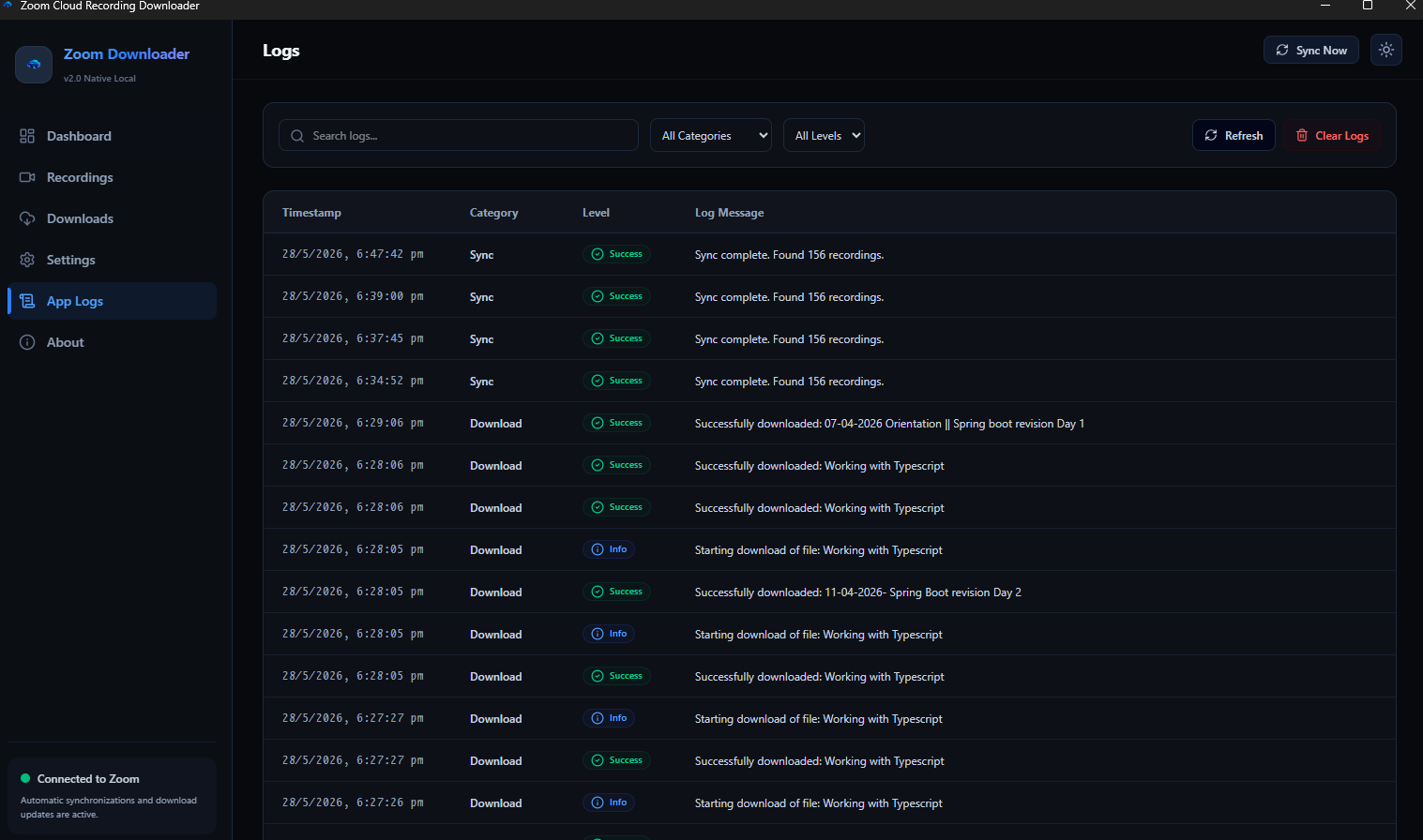
Comprehensive Diagnostic Logs

An integrated, fully searchable local log system details every query, file sync, or error. Keep a detailed history of your storage status.

Visual Preview

Take a closer look at the actual user interface and modern dashboard views.

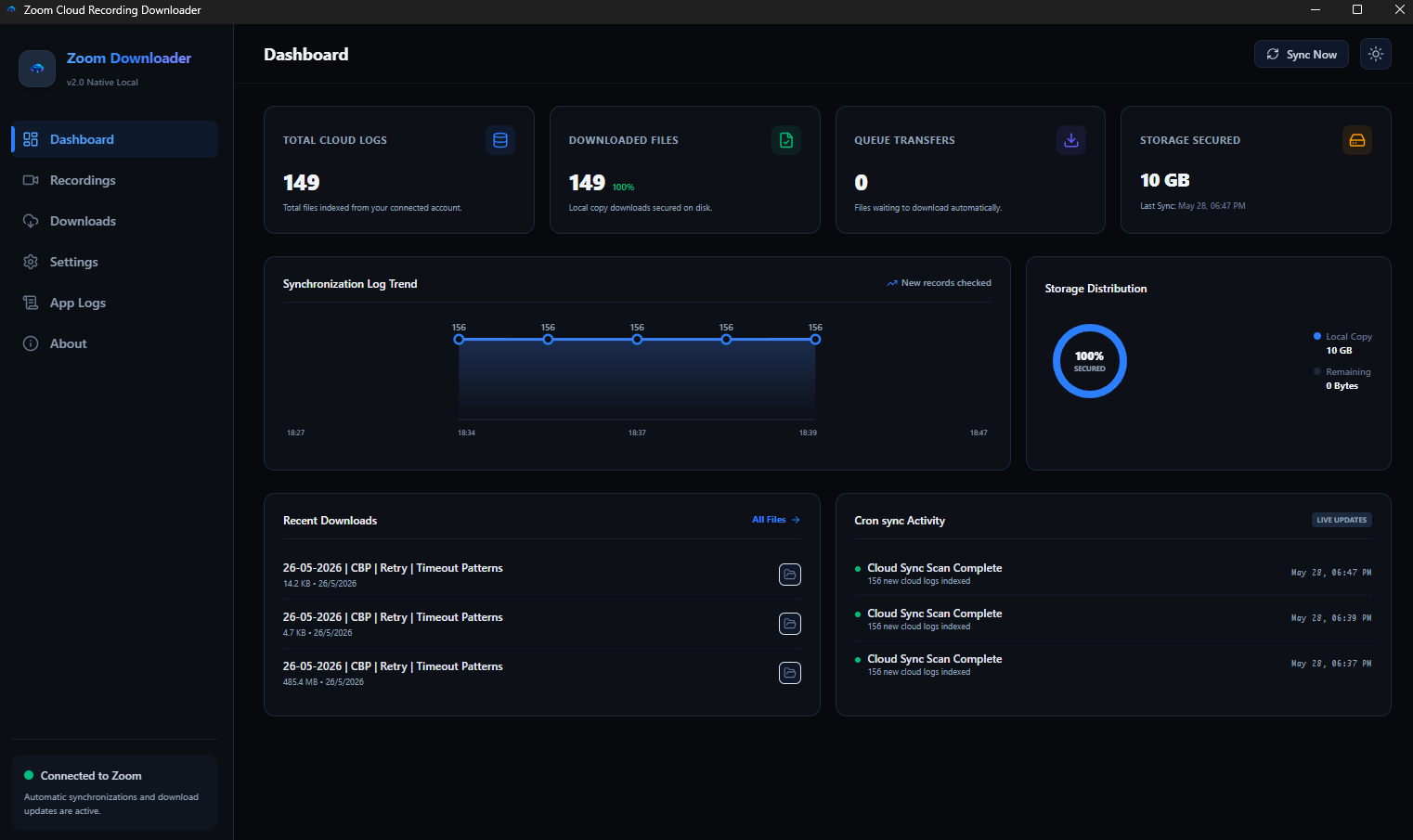
zoom downloadr - Dashboard View
zoom downloadr Dashboard
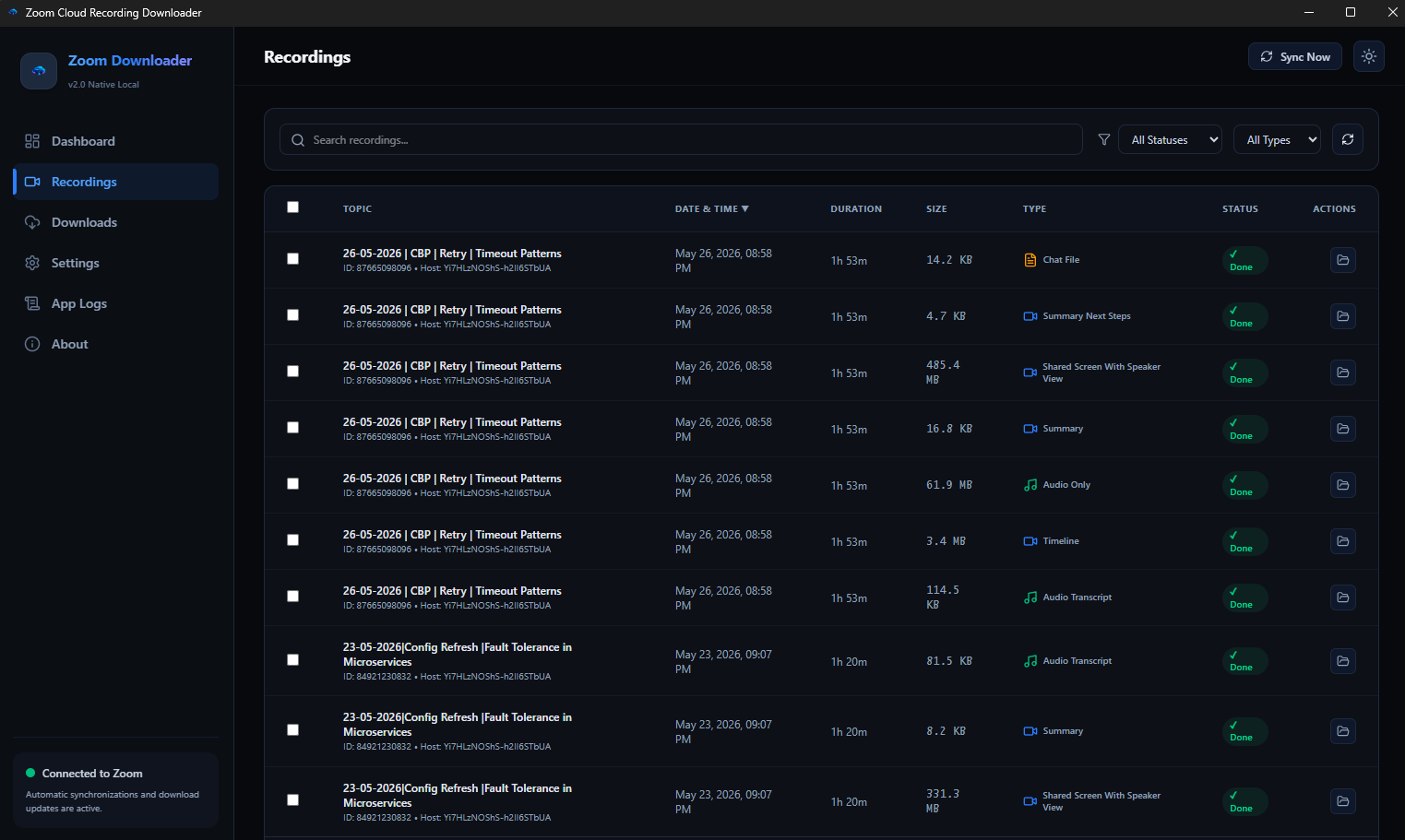
zoom downloadr - Recordings Manager
zoom downloadr Recordings Manager
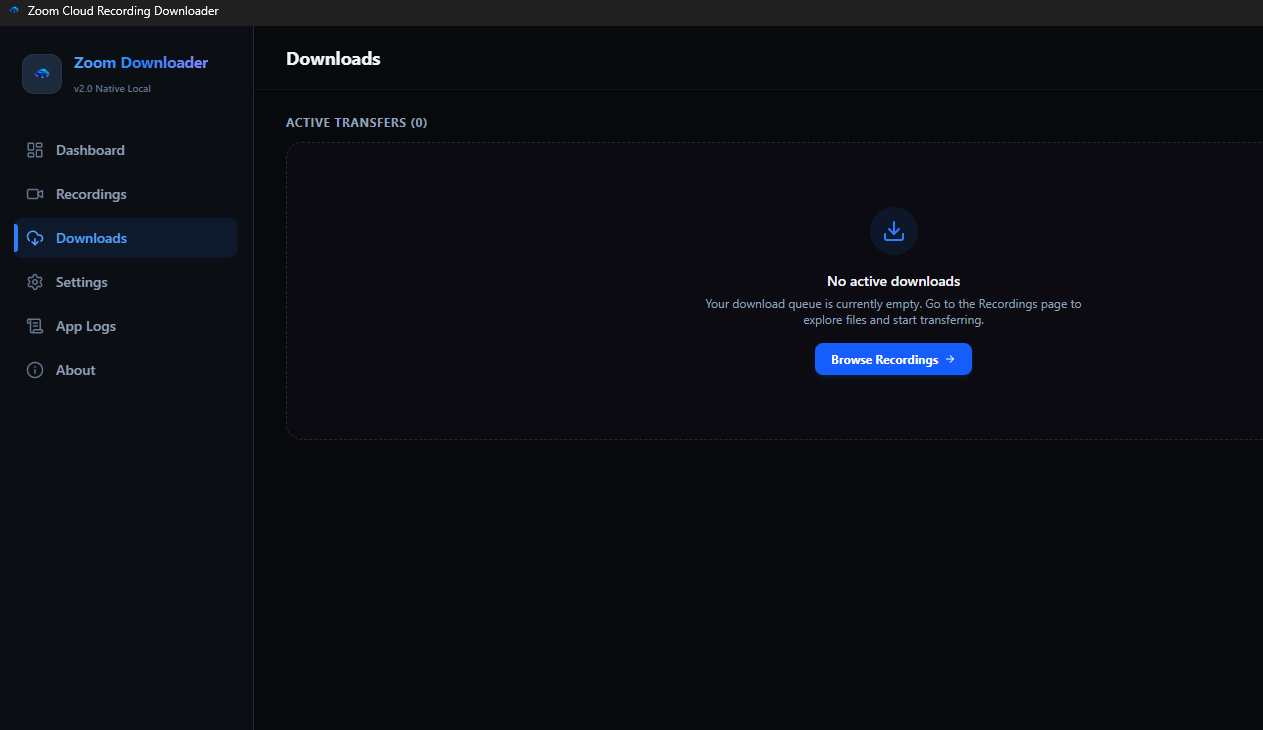
zoom downloadr - Downloads Queue
zoom downloadr Downloads Queue
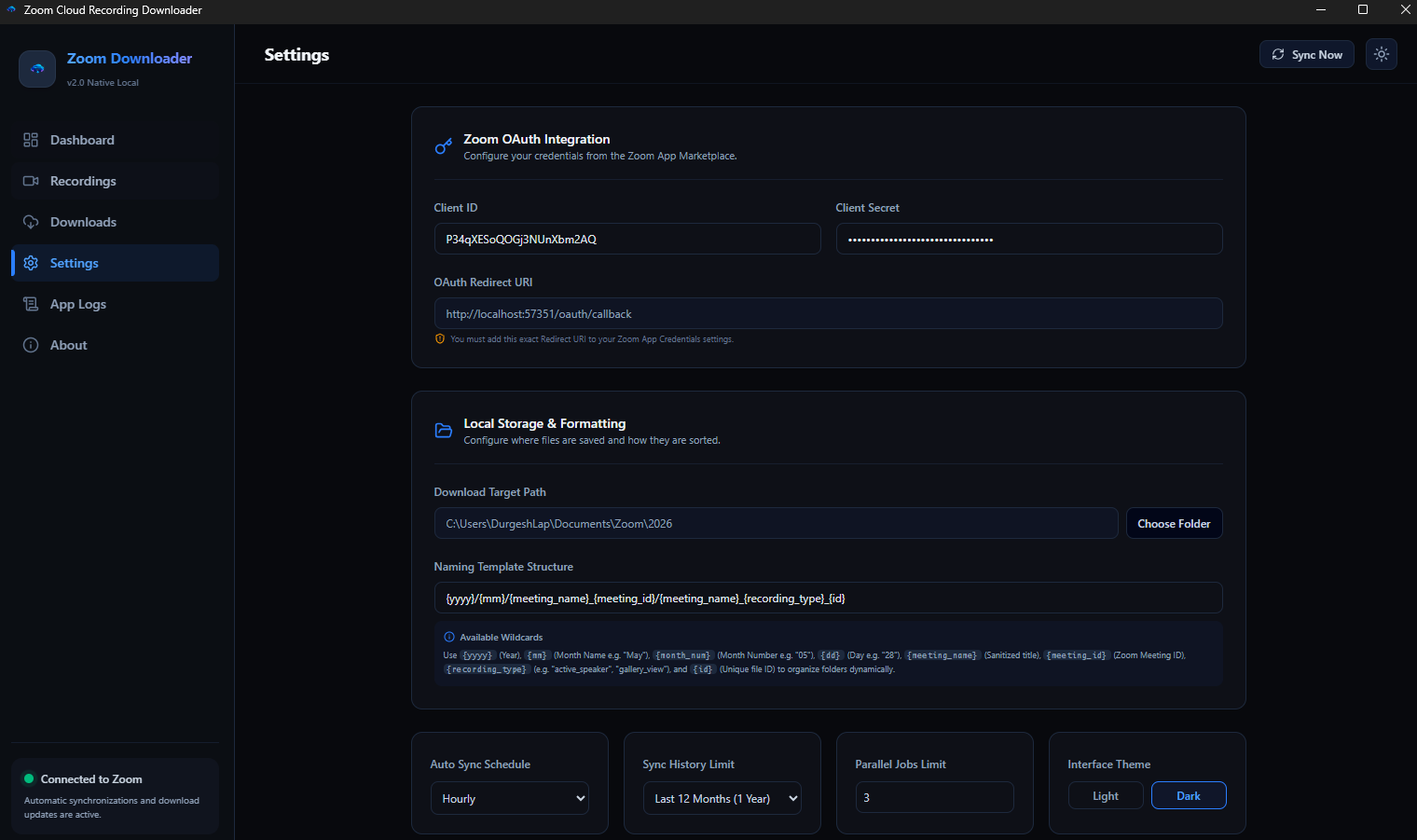
zoom downloadr - Settings Control
zoom downloadr Settings Control
zoom downloadr - Diagnostic Logs
zoom downloadr Diagnostic Logs
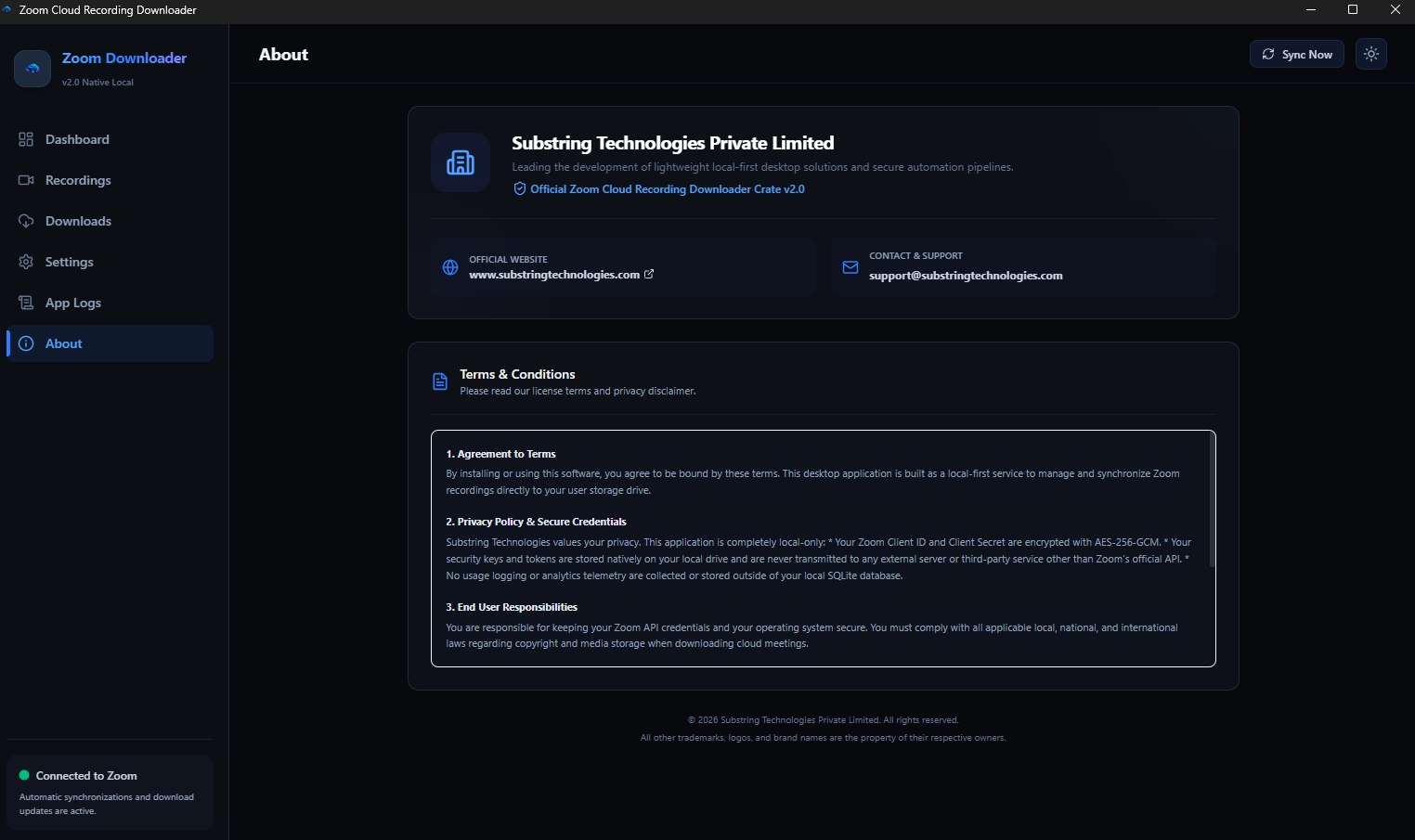
zoom downloadr - About & Corporate Info
zoom downloadr About & Corporate

Uncompromised Security

Unlike online web tools, zoom downloadr is a local-only application. It runs locally as a native agent on your desktop. Your database, sync records, API credentials, and download catalogs never touch our servers.

  • Zero Server Storage: Your files go direct from Zoom CDN to your local drive.
  • AES-256-GCM Encryption: Keystore credentials are mathematically locked.
  • Direct Local OAuth Loop: Browser logins run through a secure localhost callback server.
🛡️
Local-First Certified
100% Client-Side Runtime & Database
Developed By

Substring Technologies Private Limited

Substring Technologies builds lightweight, native-first utility products, data automation pipelines, and high-performance desktop clients. Our mission is to prioritize user control, data privacy, and resource efficiency.

Terms and Conditions Summary

1. Agreement to Terms: By installing or using this software, you agree to these terms. This desktop application is built as a local-first service to manage and synchronize Zoom recordings directly to your user storage drive.

2. Privacy Policy & Secure Credentials: This application is completely local-only. Your Client ID, Client Secret, database records, and sync keys are stored natively on your local drive and are never transmitted to any external server other than Zoom's official API. No usage telemetry is collected.

3. End User Responsibilities: You are responsible for keeping your Zoom API credentials and your operating system secure. You must comply with all copyright and media laws when downloading cloud meetings.

4. Disclaimer of Warranties: THE SOFTWARE IS PROVIDED "AS IS", WITHOUT WARRANTY OF ANY KIND, EXPRESS OR IMPLIED. IN NO EVENT SHALL THE AUTHORS OR COPYRIGHT HOLDERS BE LIABLE FOR ANY CLAIM, DAMAGES OR OTHER LIABILITY.

5. Limitation of Liability: In no event shall Substring Technologies Private Limited or its directors be liable for any direct, indirect, special, incidental, or consequential damages arising out of the use or inability to use this software.